
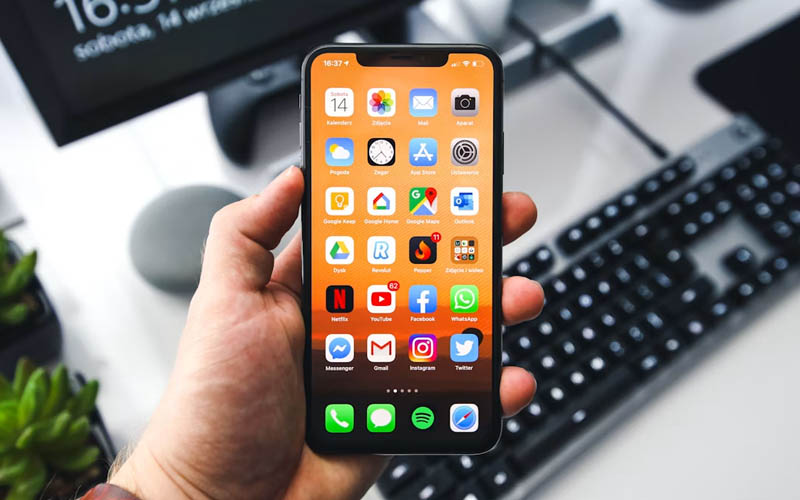

When you see a “Storage Full” notification, it can be frustrating, particularly if you need to take photos, install an app or download an important file. Luckily, there’s no special software needed to solve the issue. When you find yourself in need of freeing up space on your phone storage, both iPhone and Samsung phones have built-in solutions that will free up valuable space in a matter of moments.
How to Free Up Space on iPhone
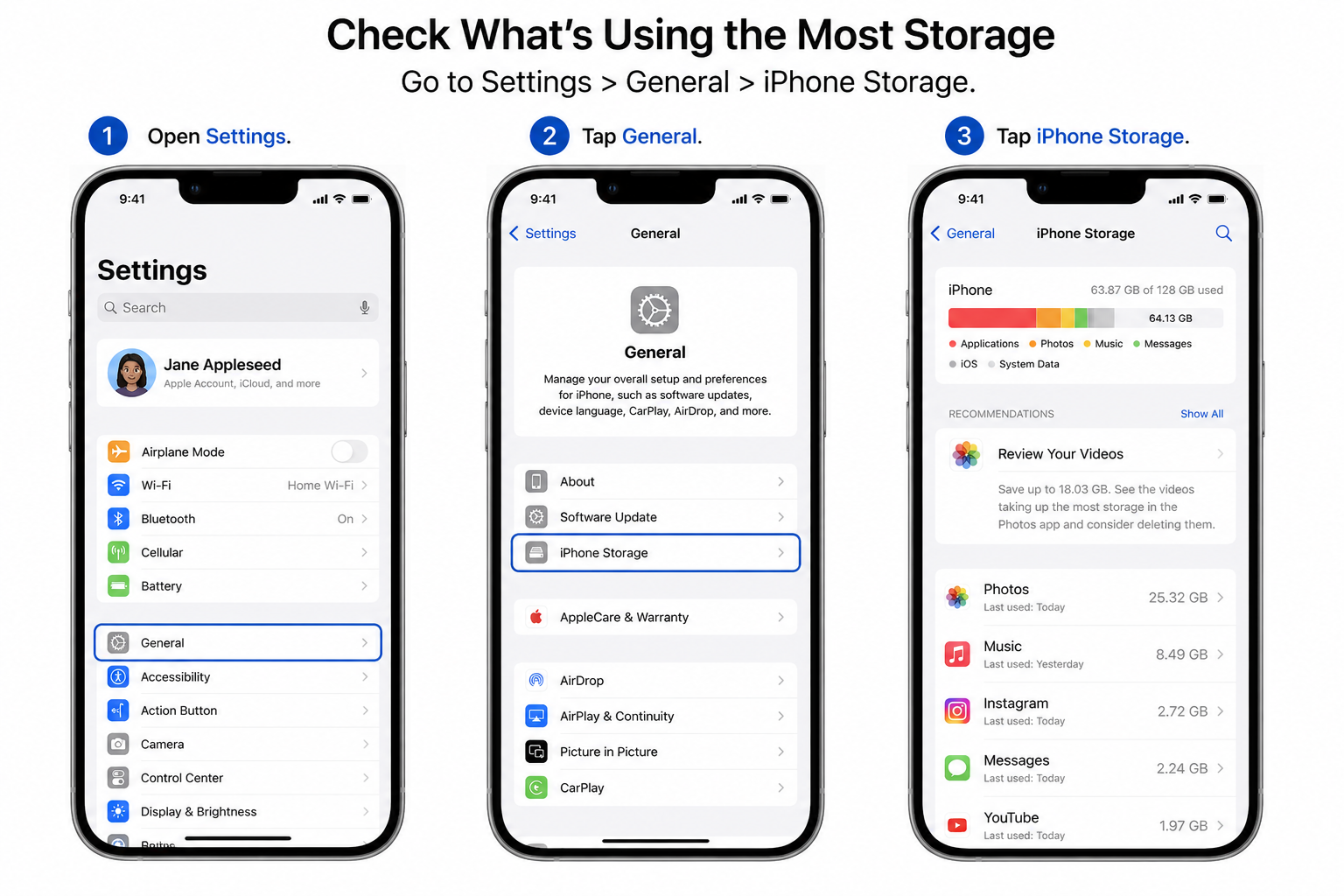
Check What’s Using the Most Storage
Tap Settings>General>iPhone Storage.
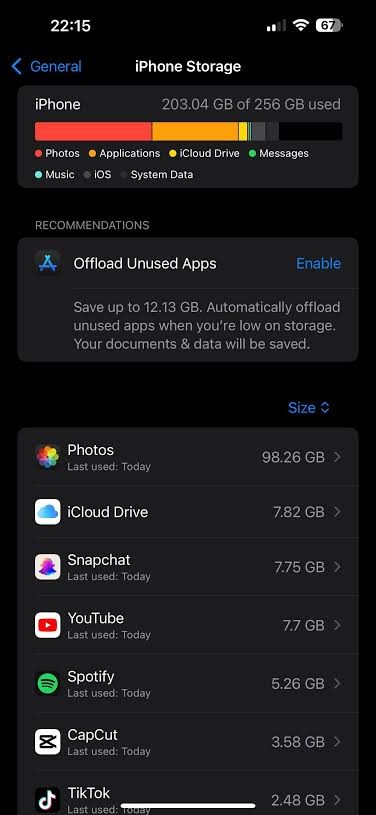
Wait for the storage analysis to load. This allows you to analyze what is taking up space in your phone. Work from the largest categories down.
Offload or Delete Unused Apps
On the iPhone Storage screen, choose apps that you don’t use as often.
With Offload App, you can uninstall the app while retaining its data.
When Deleting an app, the app and its data are completely deleted.
One of the easiest methods to free up space without having to delete any important files is to offload unused applications.
Remove Unwanted Photos and Videos
Typically, the largest storage users are photos and videos.
Get rid of any photos you no longer need in the Photos app and move them to the Albums > Recently Deleted folder, and then delete them forever.
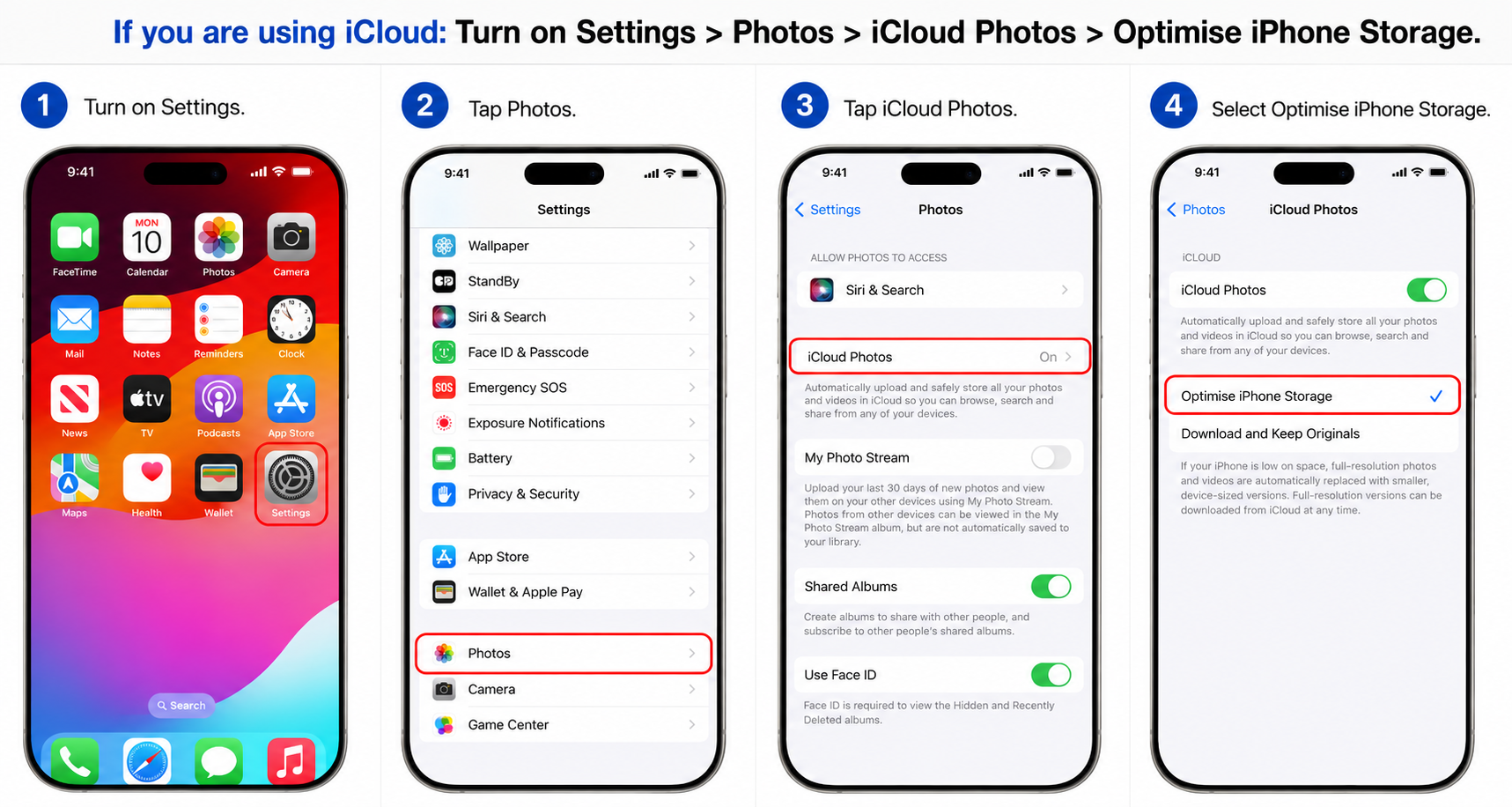
Settings>Photos>iCloud Photos>Optimize iPhone Storage.
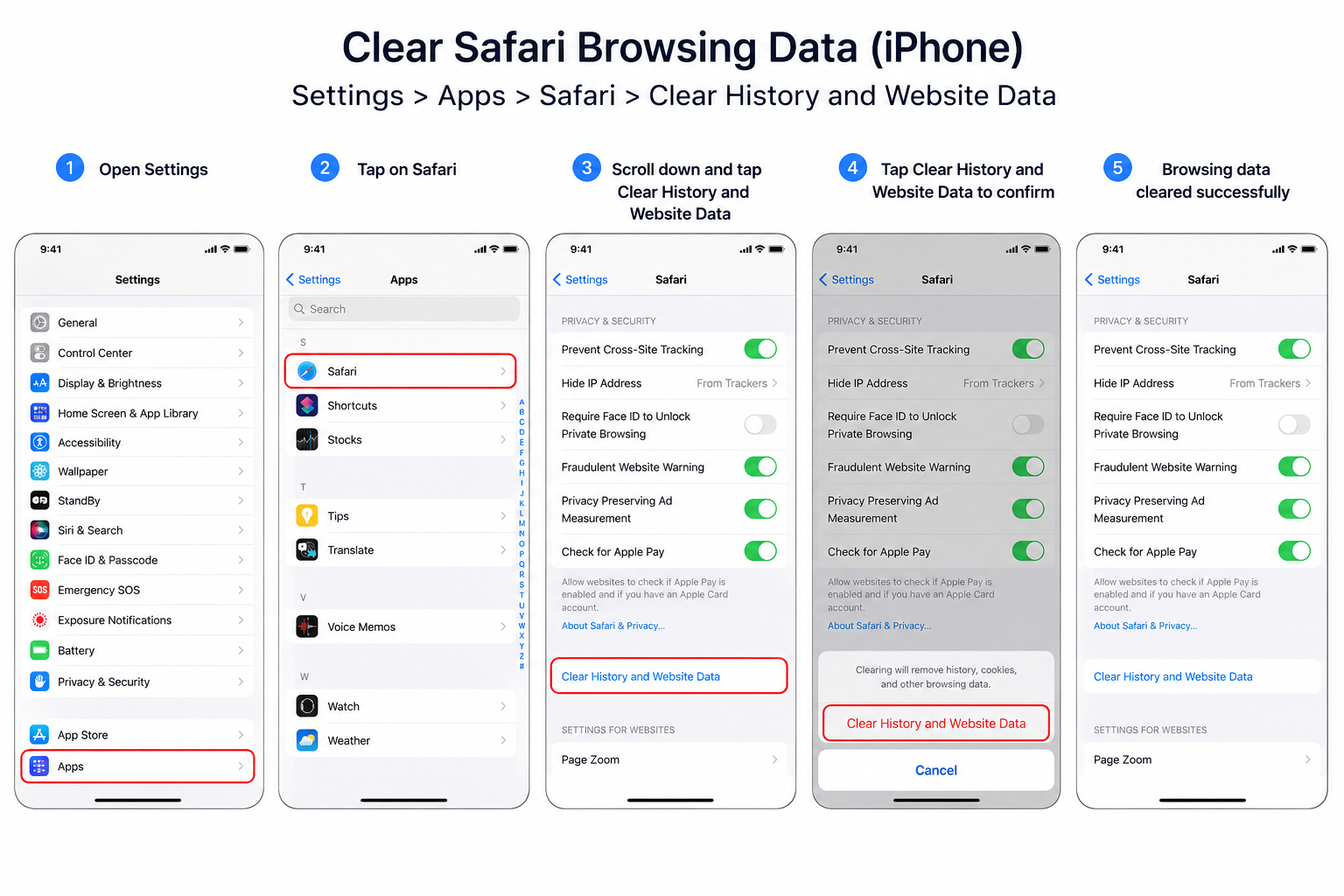
Clear Safari Data
Safari may have some temporary files that can accumulate. You can clear website history and data by following these steps.
Settings>Safari>Clear History and Data.
This will clear up cached website content and browsing history, which will free up disk space on your iPhone.
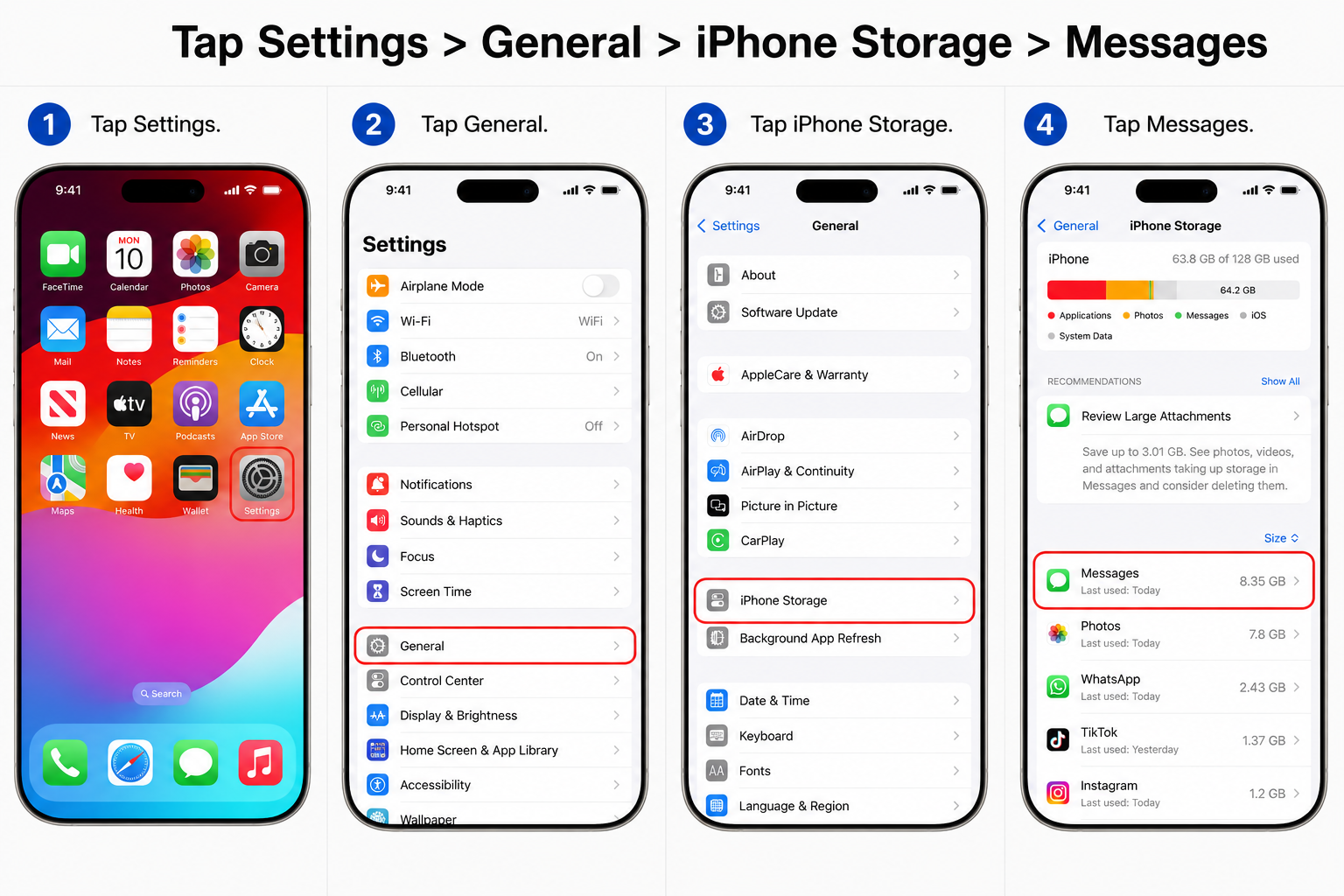
Delete Large Message Attachments
Tap Settings > General > iPhone Storage > Messages.
ADVERTISEMENT
Look through the pictures, videos, and large attachments in conversations and delete any unwanted content. You can easily end up with multiple GBs of message attachments.
How to Free Up Space on Samsung Phones?
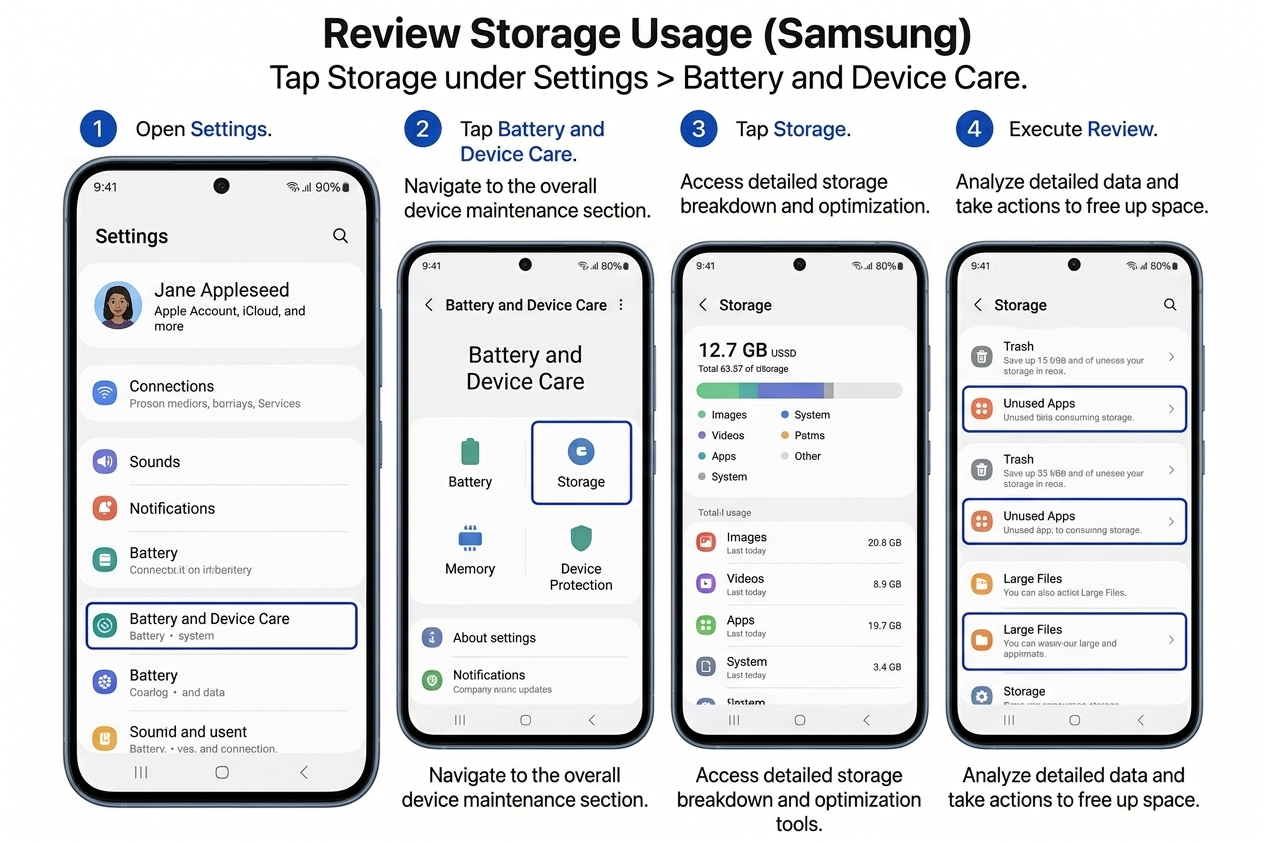
Review Storage Usage
Tap Storage under Settings > Battery and Device Care.
Apps, videos, images, audio files and other content will be displayed so you can see how much space they are consuming. This can assist you in recognizing where your clean-out efforts ought to be directed.
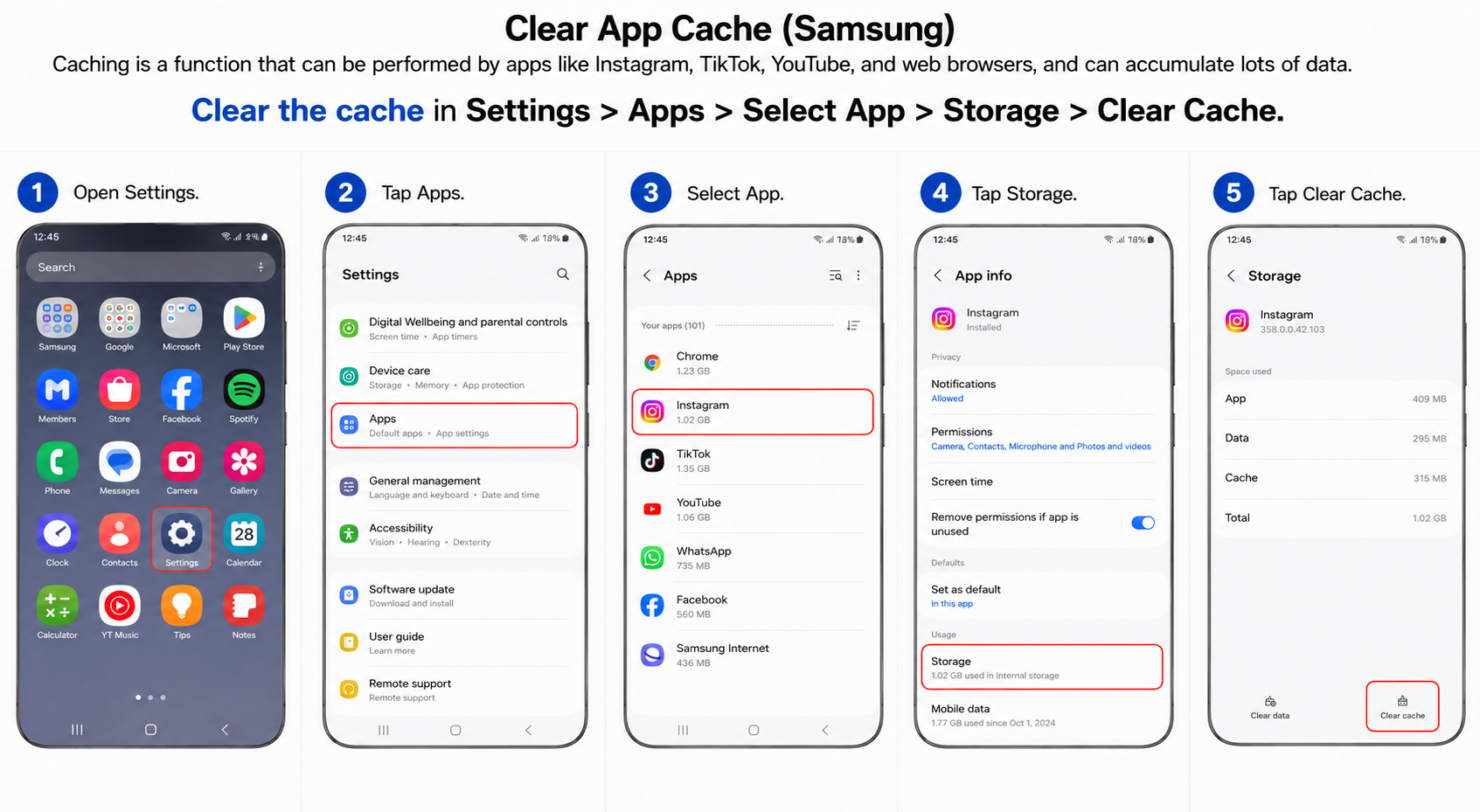
Clear App Cache
Applications such as Instagram, TikTok, YouTube, and web browsers store cache data, which can pile up overtime.
Clearing the cache in Settings > Apps > Select App > Storage > Clear Cache.
Deleting Cache will only remove temporary files, not personal files or accounts.
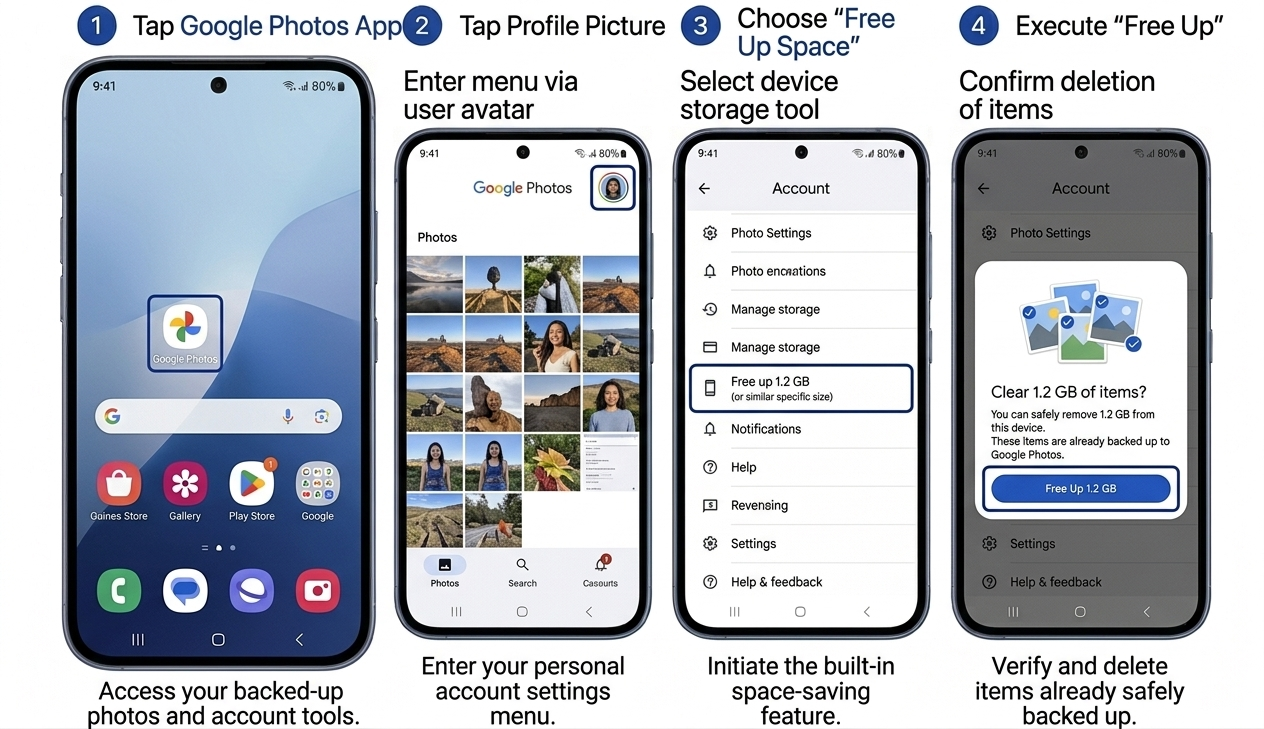
Free Up Space with Google Photos
If you’ve backed up your photos on Google Photos, tap on the Google Photos app:
Profile Picture > Free Up Space
Google Photos will delete copies of photos it has backed up elsewhere, restoring several gigabytes in one fell swoop.
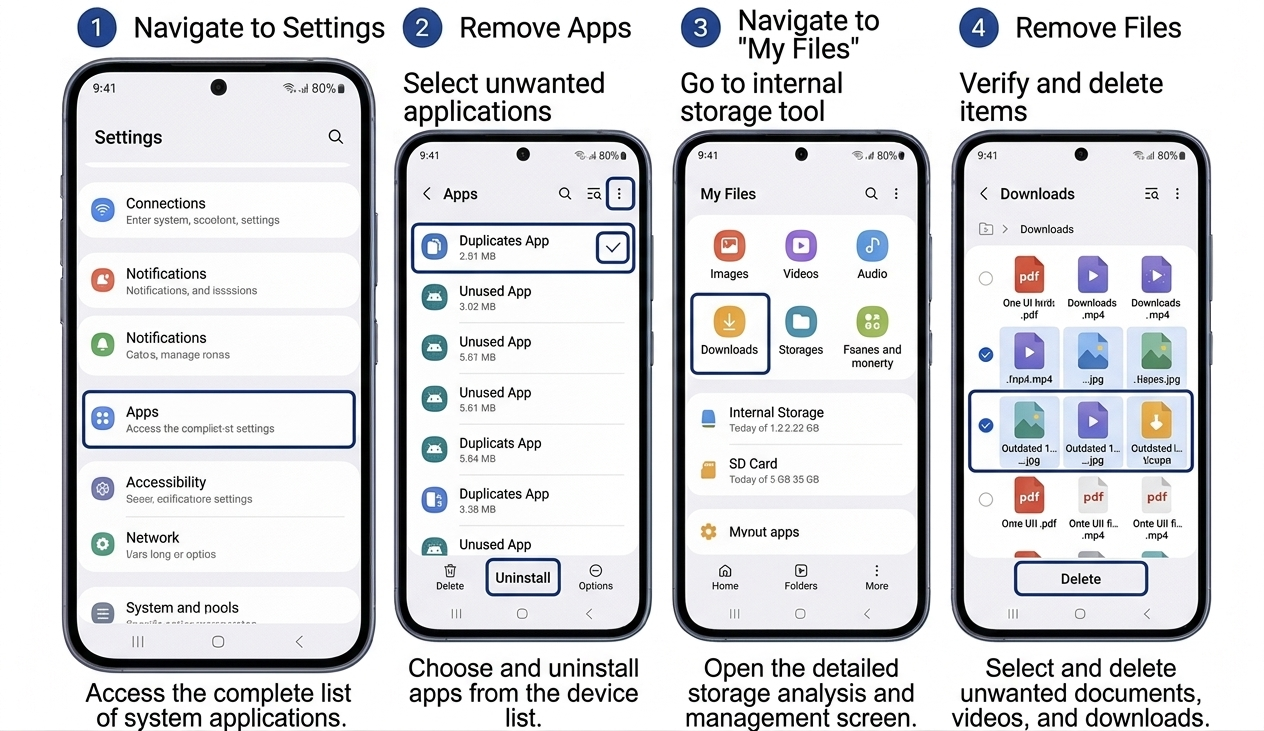
Remove Unused Apps and Downloads
Please navigate to Settings and remove unwanted apps.
Next, go to My Files > Downloads and remove outdated documents, videos, APK files, and other unwanted files. One of the easiest methods to free storage space on Samsung devices that people don’t think of.
Keep Your Phone Storage Under Control
To free up storage, one of the best ways is to regularly check big files, delete unused apps, clean your cache, and organize your pictures. These steps will ensure you know exactly how to free up space on iPhone, Samsung devices and other smartphones when you are running out of space.