

People seldom realize that their personal data has been exposed until they get an email asking them to update a password that they had never requested, or they find unusual activity in their accounts. But it’s not necessary to wait for warning signs. There are several methods you can use to find out if your data was compromised in a data breach.
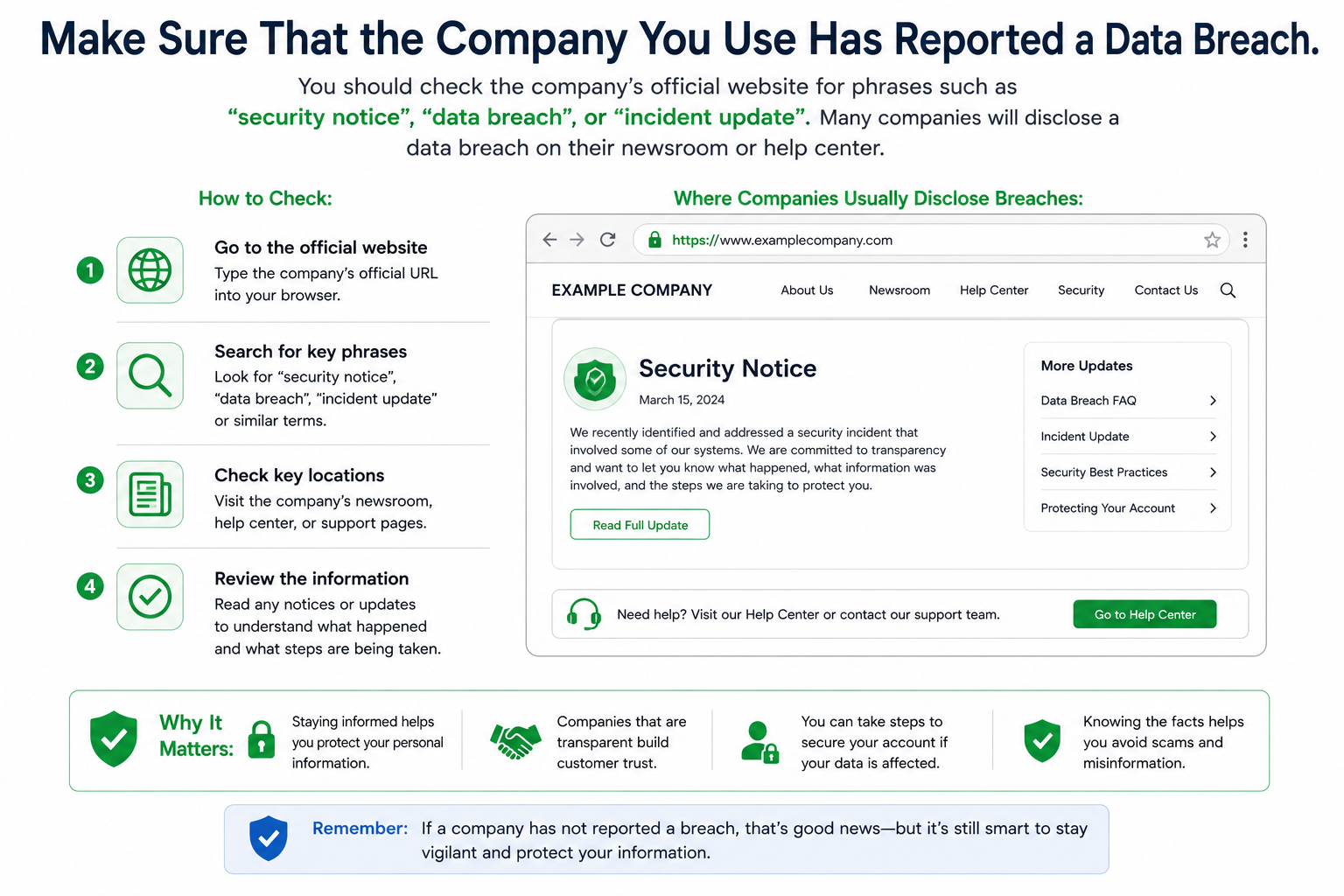
Make sure that the company you use has reported a data breach.
Begin by looking at companies that store your personal data, including banks, retailers, healthcare providers, email providers, or social media sites.
You should check the company’s official website for phrases such as “security notice”, “data breach”, or “incident update”. Many companies will disclose a data breach on their newsroom or help center.
When reading a breach notice, be sure to determine if the notice says:
- Which customers were affected
- What information was exposed
- Whether affected users are being contacted directly
This can be used to see if your personal information has been used.
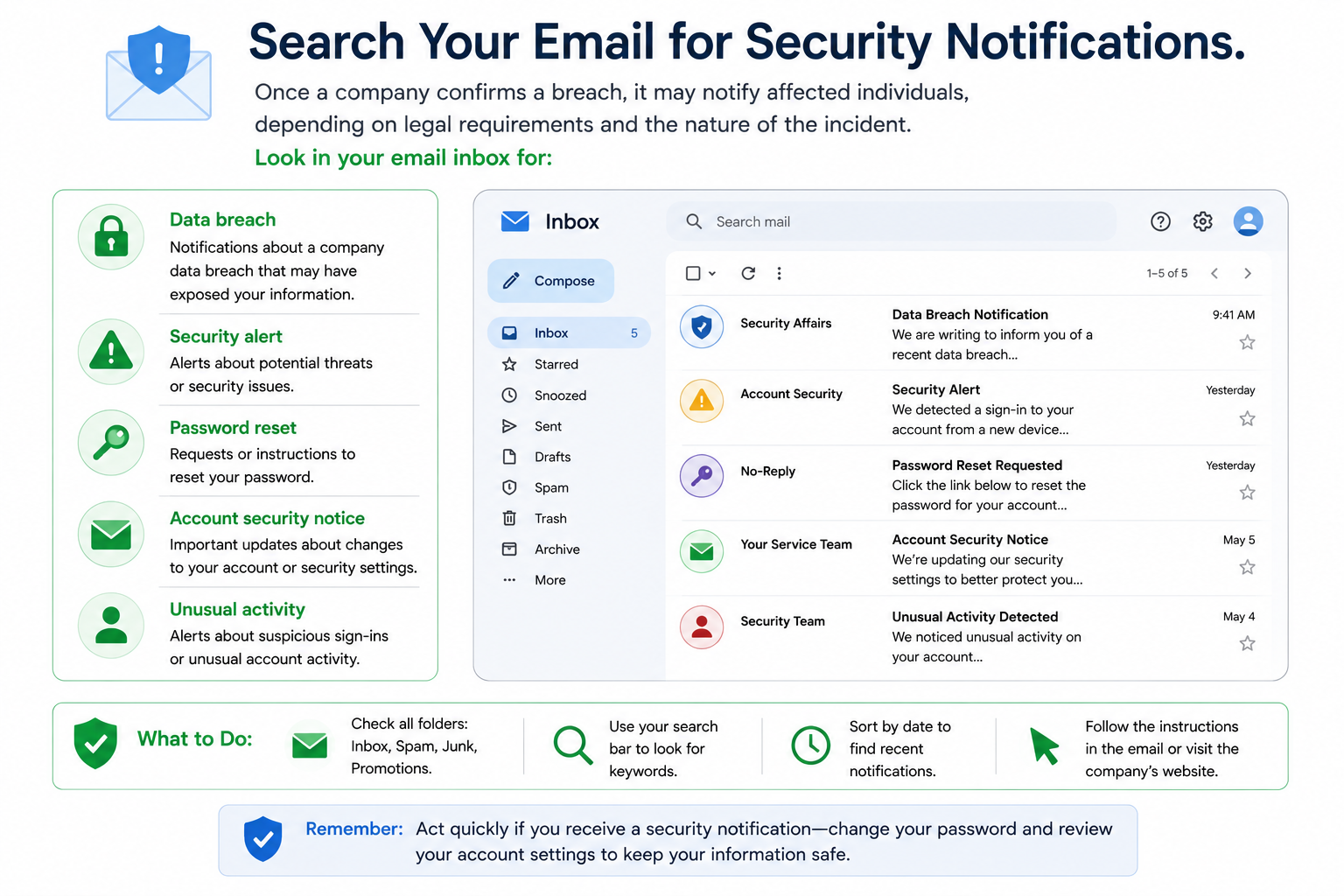
Search Your Email for Security Notifications.
Once a company confirms a breach, it may notify affected individuals, depending on legal requirements and the nature of the incident. Look in your email inbox for:
- Data breach
- Security alert
- Password reset
- Account security notice
- Unusual activity
Pay attention to messages from companies you recognize. FTC advice says that a legitimate breach notice should clarify what occurred and what sort of data might have been uncovered.
Don’t click links in unsolicited email messages. Log in via the company’s website to confirm the notice.
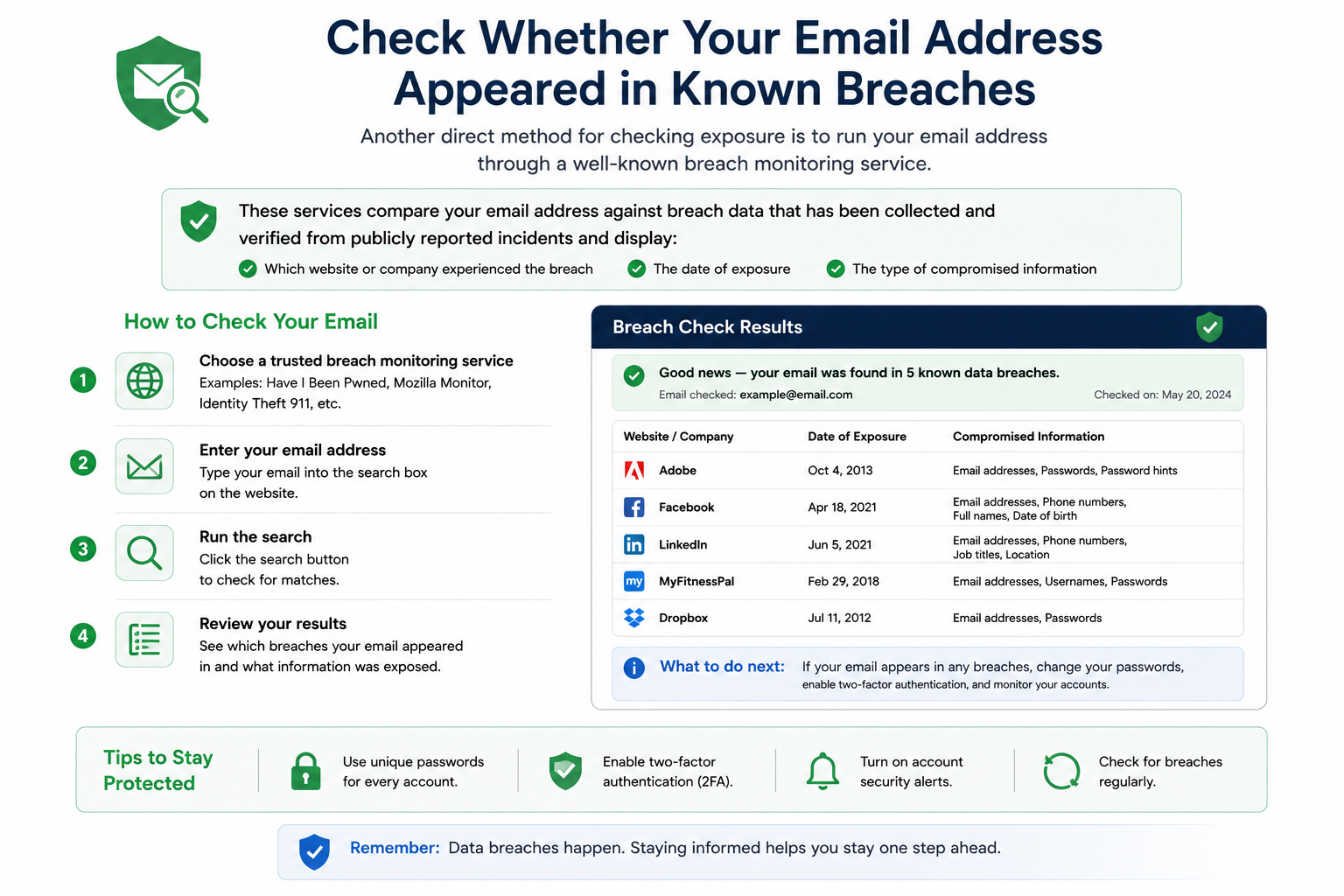
Check Whether Your Email Address Appeared in Known Breaches
Another direct method for checking exposure is to run your email address through a well-known breach monitoring service.
ADVERTISEMENT
These services compare your email address against breach data that has been collected and verified from publicly reported incidents and display:
- Which website or company experienced the breach
- The date of exposure
- The type of compromised information
If you have multiple email addresses, make sure to check all active and older ones, as forgotten emails are usually associated with shopping sites or subscriptions.
Review Your Most Important Accounts for Security Changes
Sign in to accounts that contain sensitive information and review recent activity.
Check for:
- Password changes you did not make
- Login attempts from unknown locations or devices
- Updated recovery phone numbers or email addresses
- Security alerts from the platform
The first place to look should be your email account, as that’s where you will likely find password recovery links to other services.
Use Identity Theft Monitoring if Sensitive Data Was Exposed
If the breach is of sensitive personal information (financial information or government-issued identification, for example), look for evidence of misuse of your information.
The FTC’s IdentityTheft resource can help you report identity theft and create a recovery plan if you believe your information has been misused. If you notice some of the following, it may be a warning sign: Unfamiliar accounts, charges, or notices associated with your name.
Regularly checking for data exposure is best. By monitoring for signs of exposure, you can more easily determine whether your personal data has been exposed by reading through breach notifications, checking security emails, scrutinizing exposed credentials, and reviewing account activity.