

Most smartphones have emergency buttons and can be used to make an emergency call, share your location, or give vital medical data in case of an emergency. The problem is that many people don’t configure them.
Rest assured that, whatever you use, an iPhone or an Android phone, these are the most crucial emergency features that are already in your phone, and how to enable them.
Emergency Features on iPhone
Apple has a number of safety features for medical emergencies, car accidents, or other dangerous situations.
Setting Up Emergency SOS
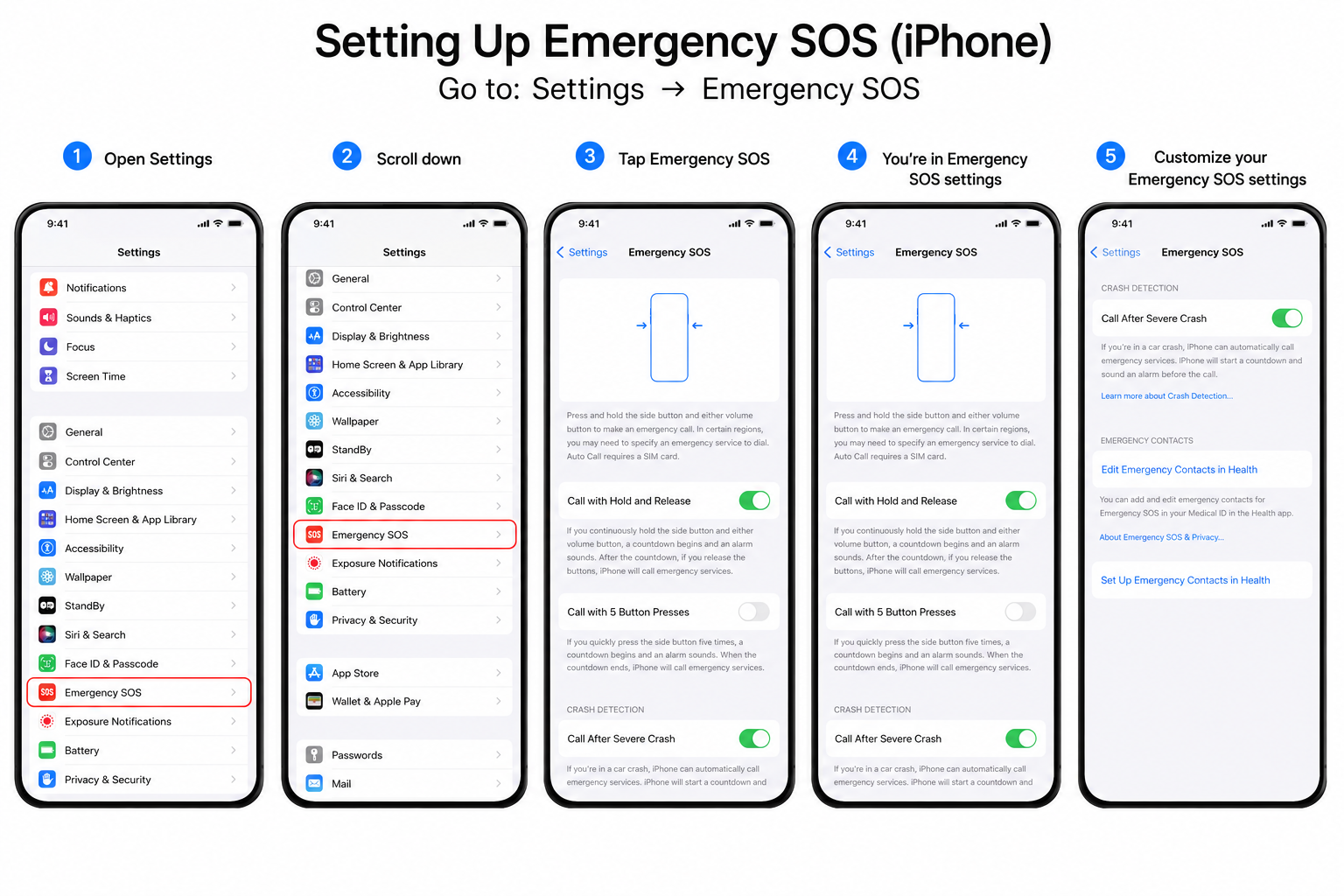
To set it up:
Go to:
Settings → Emergency SOS
In this area, you can switch on:
- Call After Severe Crash (Supported models only).
- Call with Hold and Release.
- Call with Button Presses, five times.
After activating iphone automatically dials emergency numbers.
During an emergency
- Hold down the side button and volume button to display the Emergency SOS slider.
- Press the side button five times quickly(if applicable).
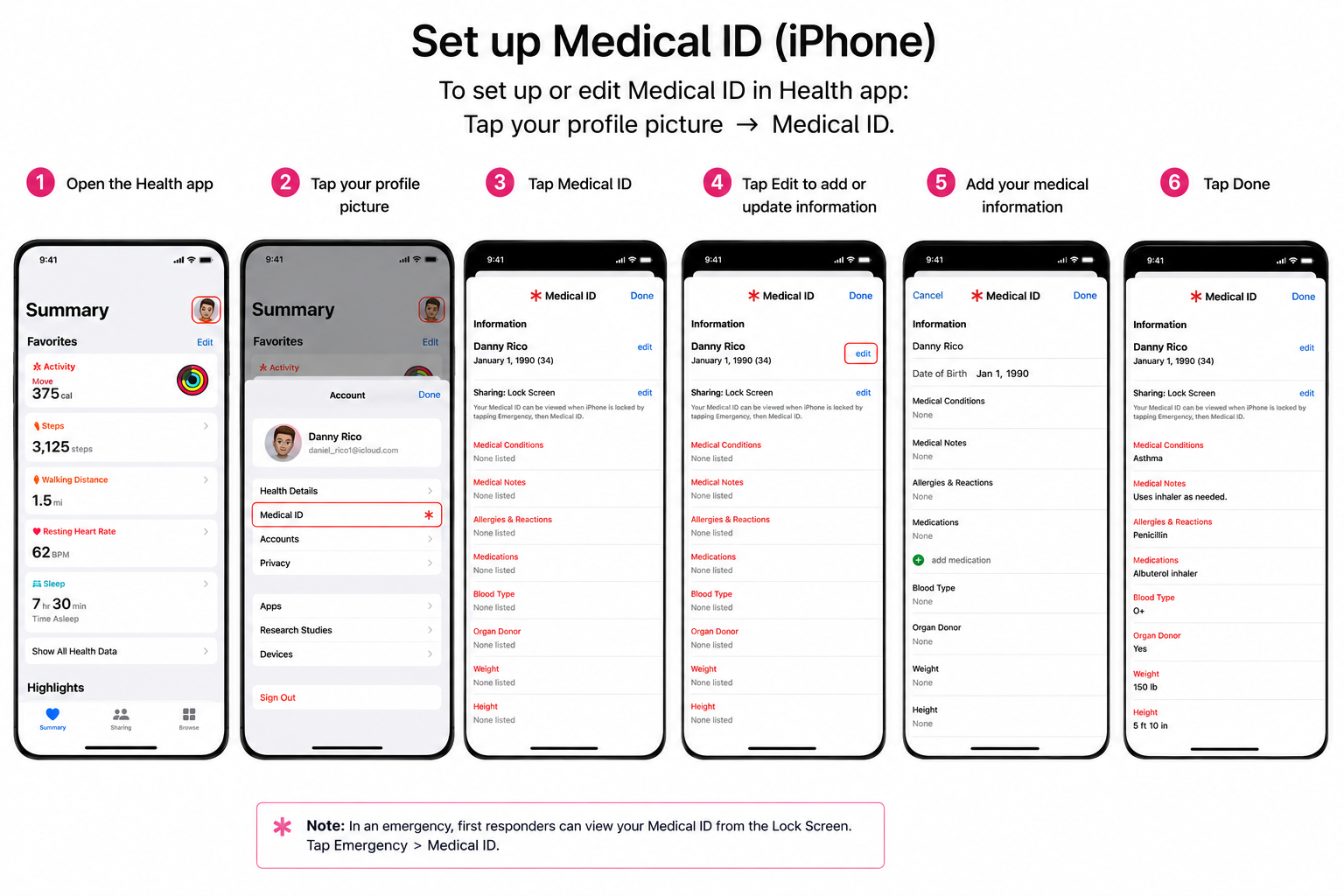
Set Up Medical ID
First responders can use your Medical ID to access important health information on your lock screen, even if your cell phone is locked.
This can include:
- Allergies
- Medications
- Blood type (If Entered)
- Medical conditions
- Emergency contacts
To set it up:
Go to:
To set up or edit Medical ID in Health app: Tap your profile picture → Medical ID.
Set Show When Locked to activate to make it easy for emergency responders to access without unlocking your device.
Emergency Contacts
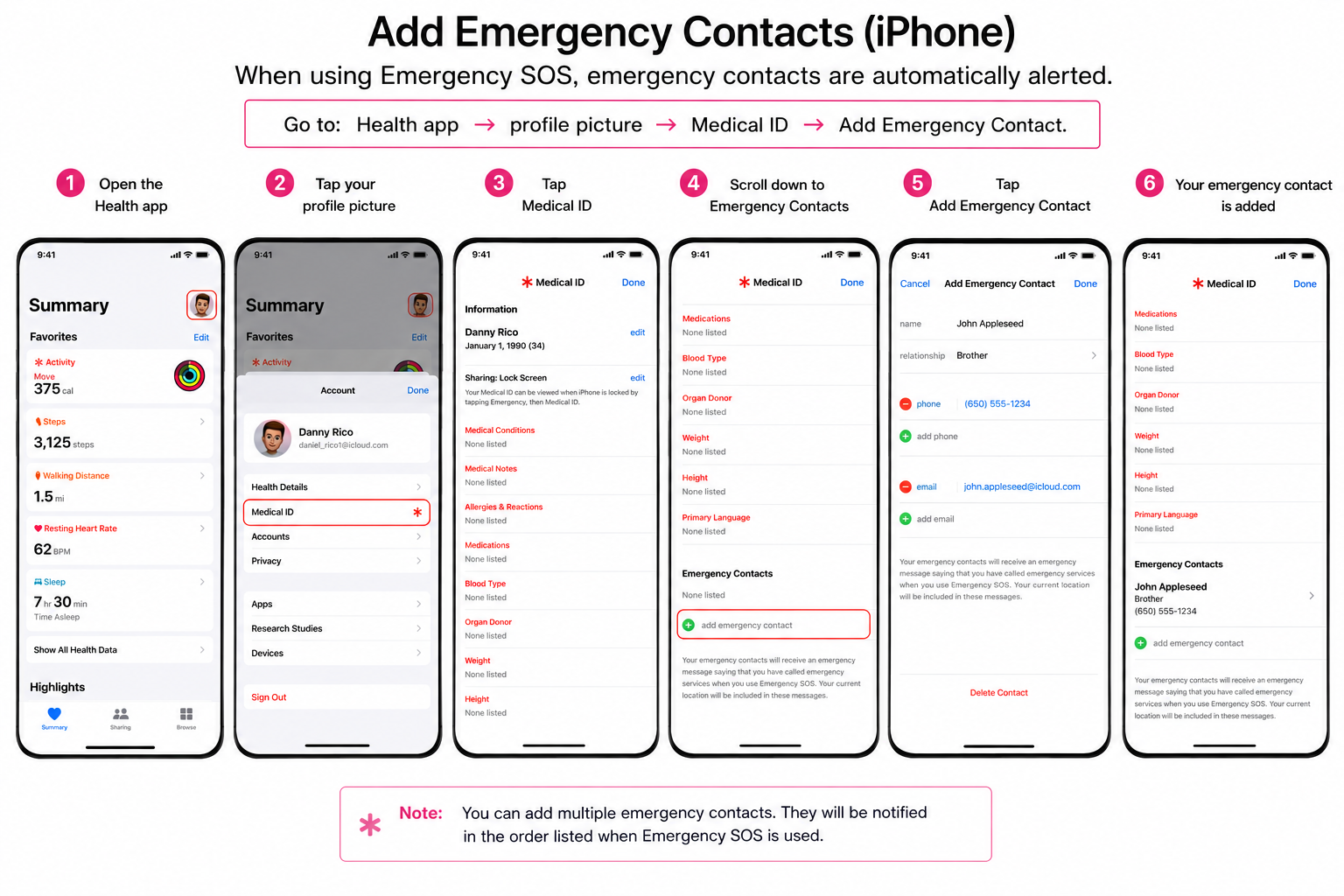
When using Emergency SOS, emergency contacts are automatically alerted.
To add them:
Go to:
Health app → profile picture → Medical ID → Add Emergency Contact.
Choose someone you trust and their relative relationship.
Contacts may receive a message about your location if emergency SOS is activated.
Turn On Crash Detection (Supported Devices)
In supported iPhones, Crash Detection will notify first responders if you are unable, in case of a serious accident.
Go to:
ADVERTISEMENT
Settings → Emergency SOS.
This feature is compatible with certain iPhone models.
Emergency Features on Android
Android phones have built in emergency tools. In the Personal Safety App or Safety & Emergency settings.
Establish Emergency SOS
There are many Android phones that allow you to call emergency services in an instant with the power button.
Go to:
Settings → Safety & Emergency → Emergency SOS
Or open:
This is for the Personal Safety app → Emergency SOS
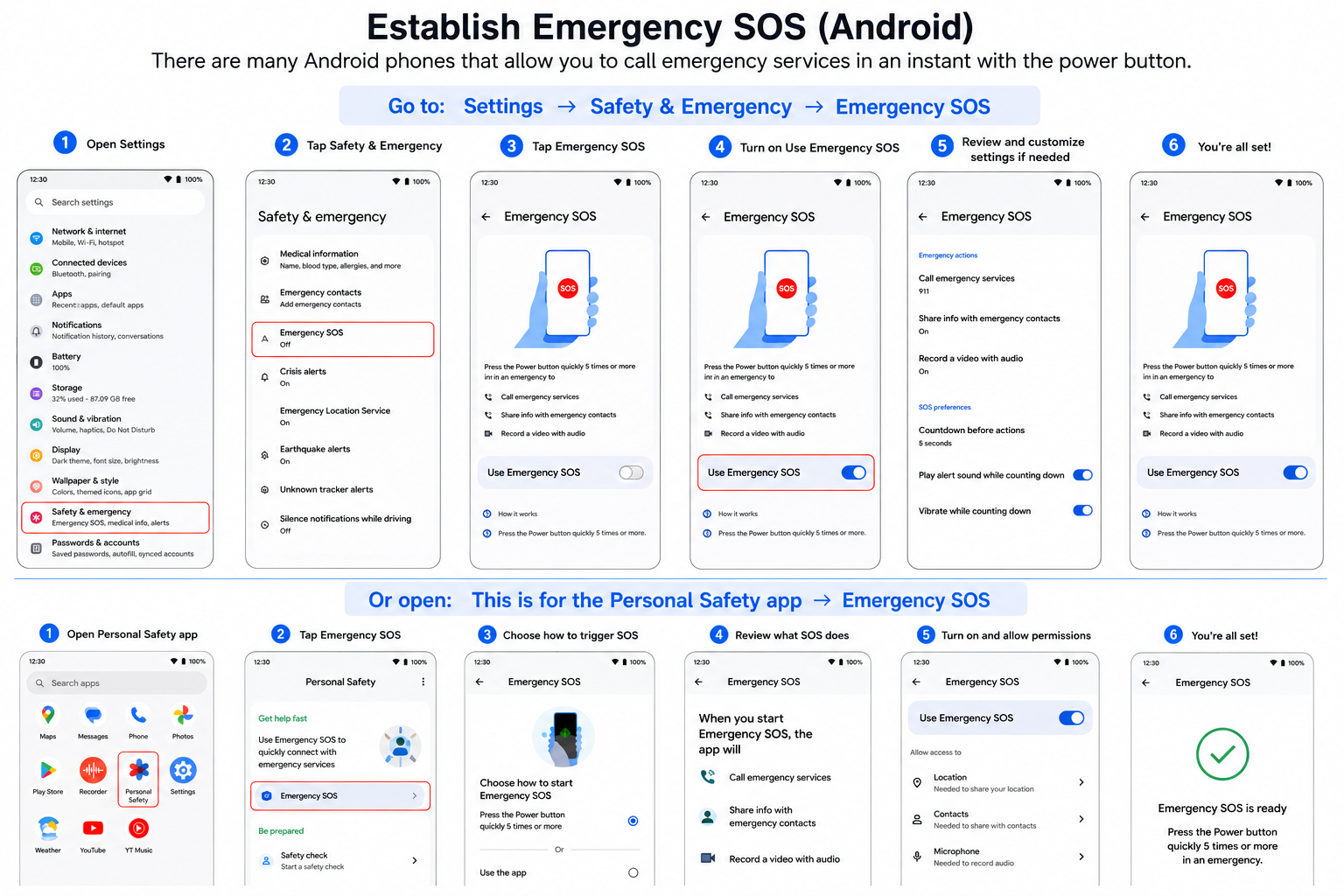
You can typically turn on:
- Emergency calling
- Emergency sharing
- Emergency recording (on supported devices)
Some phones have the ability to send an SOS signal when holding down the power button several times in quick succession.
The names of the menus will change based on the phone brand.
Add Medical Information
Android enables you to save emergency medical information that can be accessed from the lock screen.
Go to:
Medical Information under Settings → Safety & Emergency.
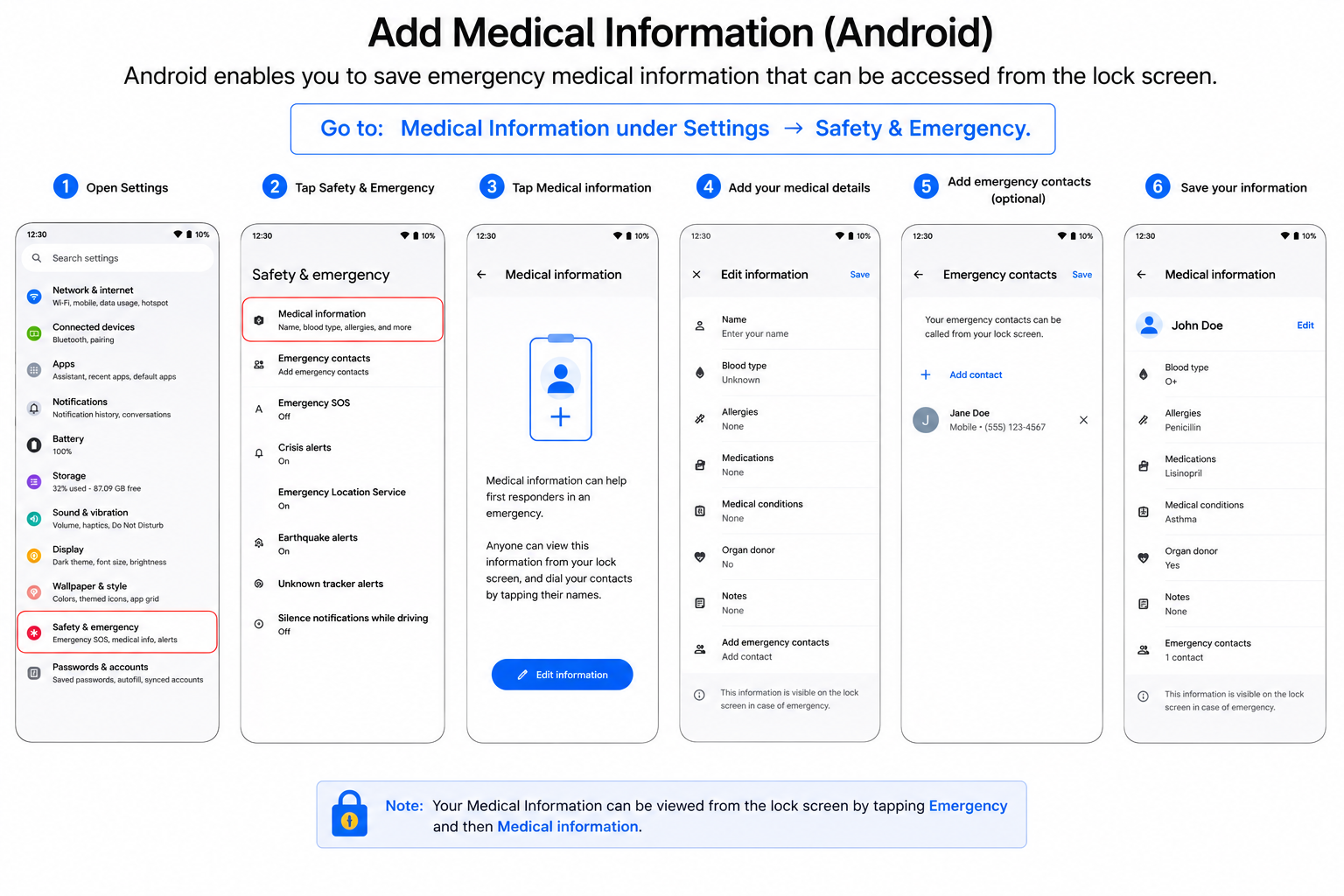
Include information like:
- Blood type(If Entered)
- Medications
- Emergency medical notes
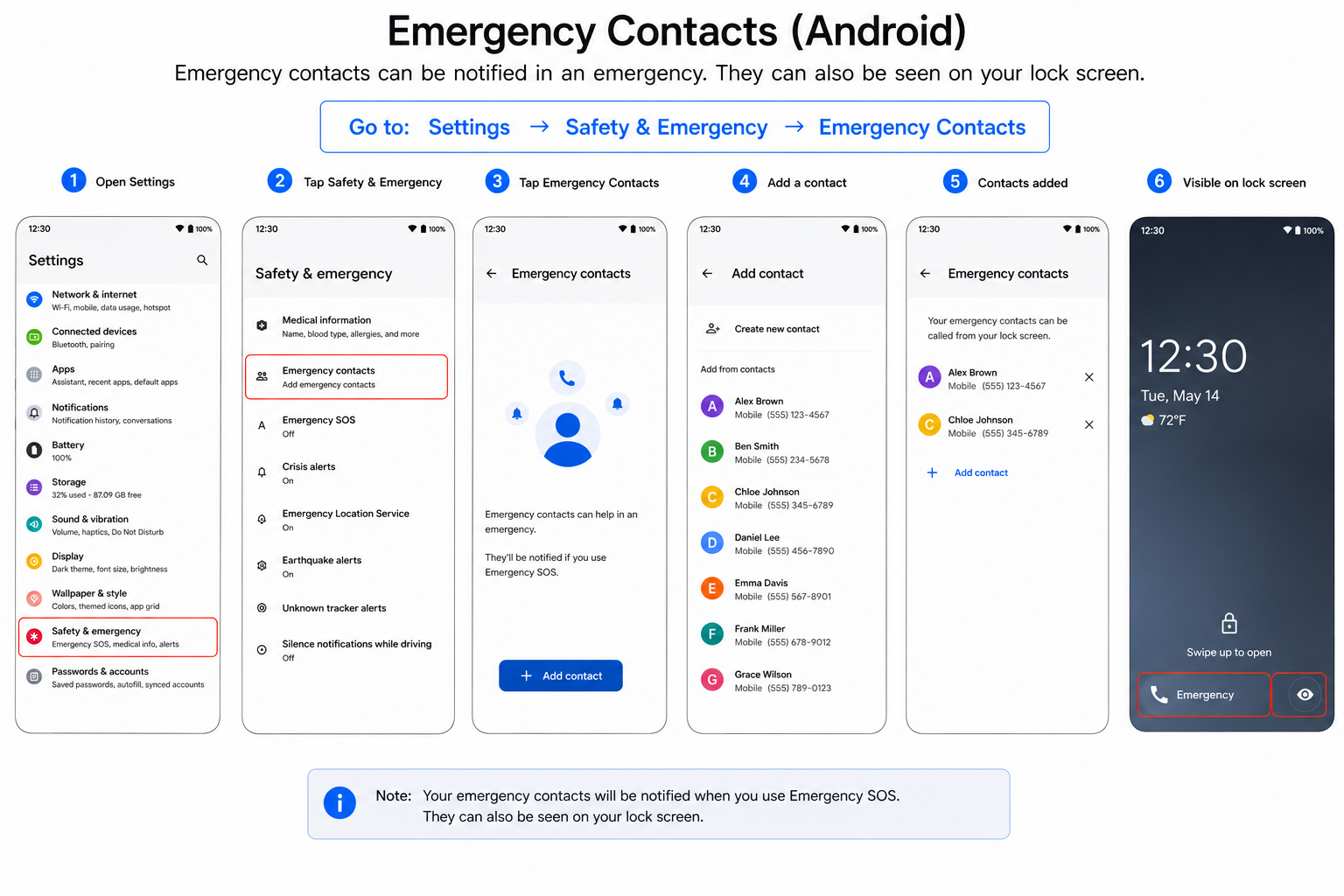
Emergency Contacts
Go to:
Settings → Safety & Emergency → Emergency Contacts
These contacts can be displayed on the lock screen and be alerted for Emergency SOS events on compatible devices.
Car Crash Detection
Open:
Personal Safety app → Car Crash Detection → toggle On
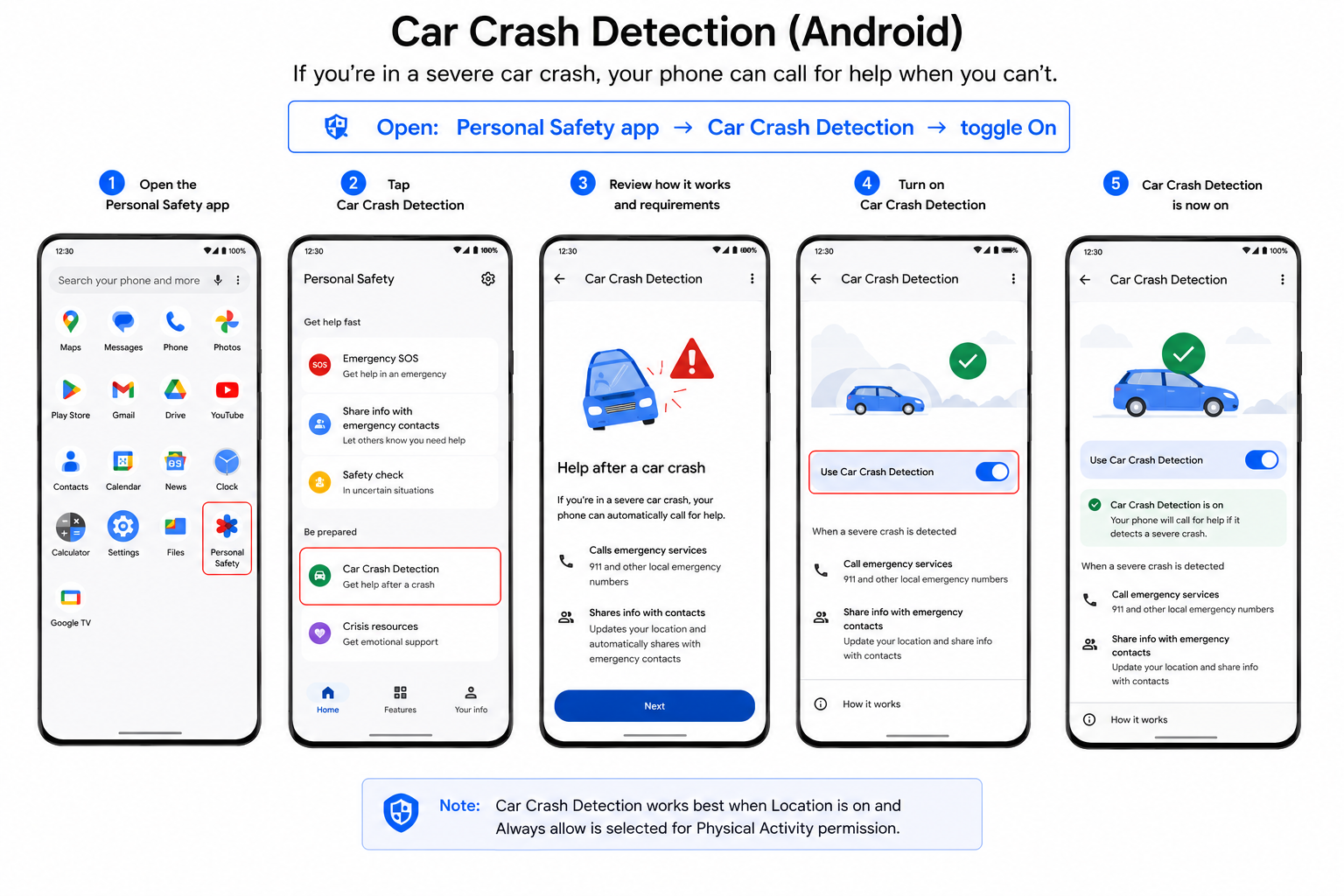
Its availability depends on your device and region.
It could make a difference during an accident or medical emergency if these emergency features are set up in a few minutes. They come pre-installed on your cell phone and can be used without any additional apps or subscriptions.